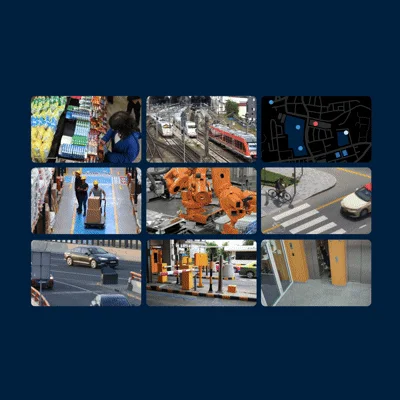
Monitor and respond
Combine live video, alarms and event information so operators can assess activity, prioritize alerts and execute defined response workflows from one interface.
A governed video-management layer for bringing cameras, alarms, sensors, evidence and third-party systems into one operational environment.
Open-platform video management software
XProtect is Milestone Systems’ open-platform video management software family. It supports live monitoring, alarm response, investigation, evidence handling and multi-site operations through desktop, web and mobile clients. TECHNOSUR designs the edition, architecture and integrations around the operating concept rather than treating the platform as a stand-alone software licence.
The public capabilities most relevant to designing and operating an integrated system.
Combine live video, alarms and event information so operators can assess activity, prioritize alerts and execute defined response workflows from one interface.
Search recorded video by time, event and motion, review synchronized camera views, export material and apply evidence controls available in the selected edition.
Connect remote sites through Interconnect or link multiple XProtect systems with Federated Architecture, while retaining local operation and differentiated access.
Use the Milestone Integration Platform to connect cameras, analytics, access control, sensors and operational applications without forcing a single hardware ecosystem.
Scale recording and management roles, introduce failover where the selected edition supports it, and maintain the platform through controlled software updates.
Bring devices and sites onto maps, route relevant views to operators and control-room displays, and keep desktop, browser and mobile access aligned to user roles.
Translate camera counts, retention, sites, operator roles, availability and evidence requirements into an edition and licensing design.
Define recording, management, storage and client roles, then validate devices, analytics, access control and external-system interfaces.
Configure maps, alarms, rules, permissions, views and escalation paths around the way the control room actually works.
Test end-to-end scenarios, document the as-built system, train administrators and operators, and establish support and update procedures.
A scoping session establishes what you are actually trying to achieve, what is already in place, and whether we are the right people for it. If we are not, we will say so.